
| Brand | |
|---|---|
| Model |
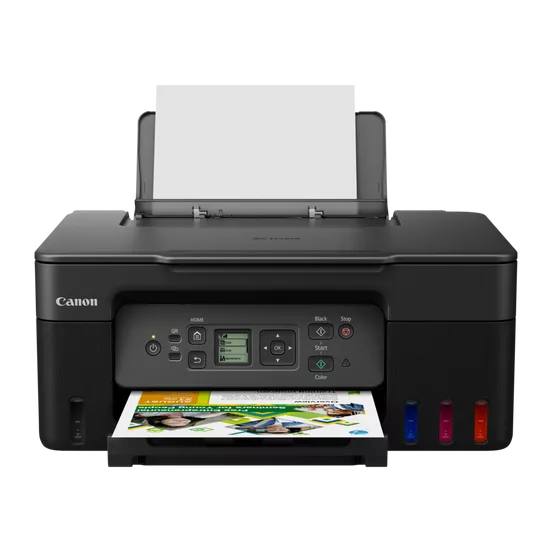
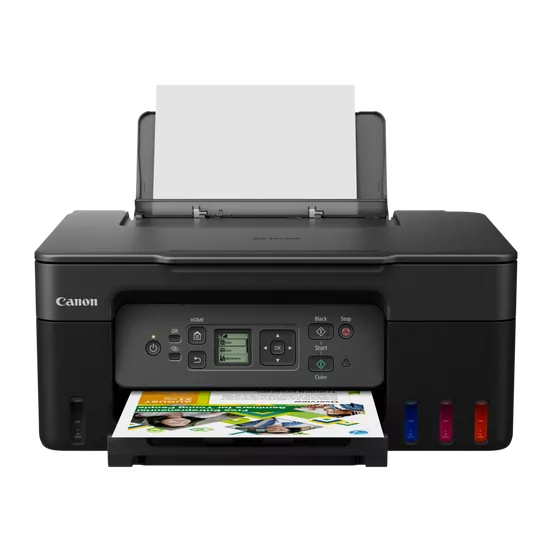
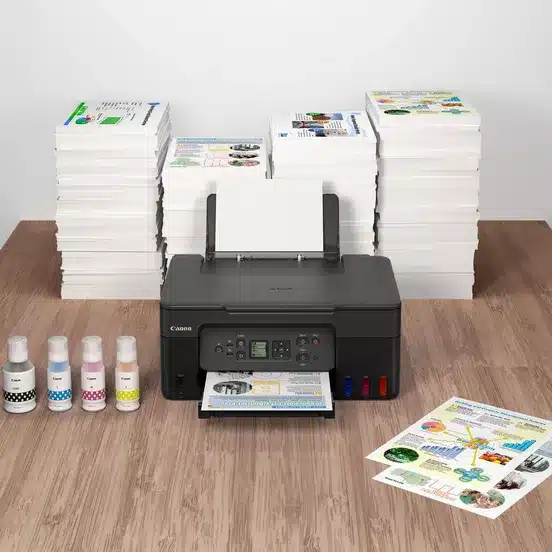
Print, copy and scan documents at home while making huge savings with this fast, affordable, and efficient MegaTank printer with Wi-Fi. With refillable tanks and a single set of ink bottles delivering up to 8,100 prints1, running costs are refreshingly low compared to cartridge-based printers.
Make huge savings over the printer’s lifetime thanks to refillable high-yield ink tanks. Print 6,0002 black ink pages (7,600 in Economy) and 7,7002 colour ink pages (8,100 in Economy)
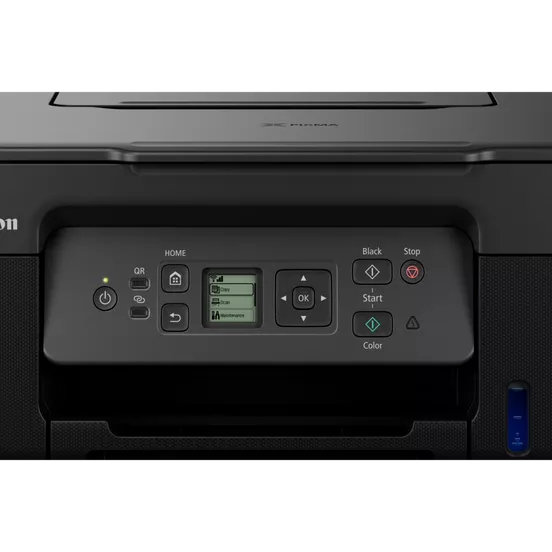
Easy, straightforward day-to-day use thanks to a clear 1.3” LCD panel and single-action print head installation
Get your documents faster thanks to print speeds of 11.0 ipm (mono) and 6.0 ipm (colour)
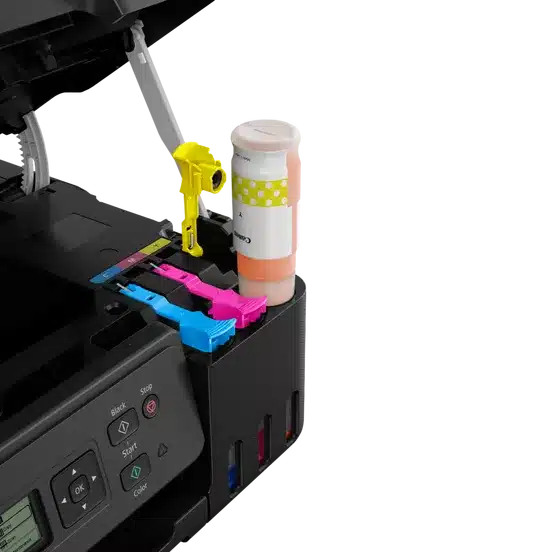
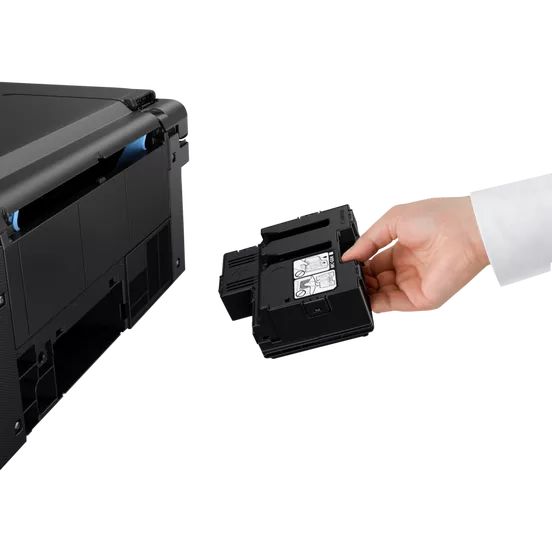
Keep downtime to a minimum thanks to the user-replaceable maintenance cartridge and mechanical ID no-squeeze ink bottles
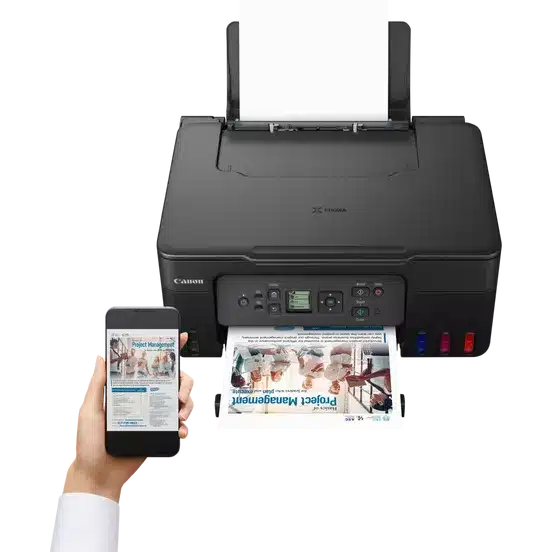
Print seamlessly from a range of devices with Wi-Fi connectivity and support for PIXMA Cloud Link, Canon PRINT app, Apple AirPrint and more
Get creative at home with the ability to print on magnetic and matte photo paper
Learn how to complete the basic set-up of a PIXMA MegaTank printer, including ink filling and maintenance cartridge replacement.
Learn how to set-up a PIXMA MegaTank printer to print seamlessly from a range of Wi-Fi connected smart devices
Fast print speeds for increased productivity
Square monochrome display for greater usability
Sharp, clear print resolution for high quality photos and documents
Print, scan and copy with a single device
Large-capacity rear tray for volume printing
Connect wirelessly to your computer or smart device
Works with all major computer operating systems
Print and copy from your smart device
| Specification | Details |
| Model | Canon PIXMA G3470 Series |
| Functions | Print, Scan, Copy, Wi-Fi, Cloud |
| Print Resolution | Up to 4800 x 1200 dpi |
| Print Technology | 2 FINE Print Head (Black and Color) |
| Print Speed (Mono) | Approx. 11.0 images per minute (ipm) |
| Print Speed (Color) | Approx. 6.0 ipm |
| Photo Print Speed | Borderless 10x15cm: Approx. 45 seconds |
| Borderless Printing | Yes |
| Two-Sided Printing | Manual operation |
| Cartridges and Yields | – Black: 6,000 pages (Economy mode 7,600 pages) <br> – Color: 7,700 pages (Economy mode 8,100 pages) <br> – 10x15cm color photo: 2,200 photos |
| Maintenance Cartridge | MC-G04 (User Replaceable) |
| Paper Types | Plain Paper, Photo Paper, Matte Photo Paper, Glossy Photo Paper, High Resolution Paper, Envelopes, Cardstock, Magnetic Photo Paper, etc. |
| Maximum Paper Input | Rear Tray: Max. 100 sheets (plain paper) |
| Paper Sizes | A4, A5, A6, B5, LTR, 4″ x 6″, 5″ x 7″, 7″ x 10″, 8″ x 10″, Envelopes, Custom sizes (width 55 mm – 216 mm, length 89 mm – 1200 mm) |
| Paper Weight | Plain paper: 64 – 105 g/m² <br> Specialty paper: max. approx. 265 g/m² |
| Scanner Type | CIS flatbed photo and document scanner |
| Scanner Resolution (Optical) | 600 x 1200 dpi |
| Line Scanning Speed (Color) | 3.5 ms/line (300 dpi) |
| Line Scanning Speed (Greyscale) | 1.5 ms/line (300 dpi) |
| Scanning Depth (Input / Output) | Color: RGB each 16bit/8bit <br> Greyscale: 16 bit / 8 bit |
| Maximum Document Size | A4/LTR |
| Copy Speed | sFCOT: Approx. 23 seconds <br> sESAT: Approx. 3.2 ipm |
| Copy Quality | 3 levels (Economy, Standard, High) |
| Intensity Adjustment | 9 positions, Auto intensity (AE copy) |
| Multiple Copy | Up to 99 copies |
| Copy Functions | Document Copying, Photo Copying, Borderless copy, 2-on-1 and 4-on-1 copy, Frame erase copy, ID copy |
| Copy Zoom | 25 – 400% (in 1% increments) |
| Fit to Page | A5 to A4, B5 to A4, A4 to A5, A4 to B5 |
| Display Type & Size | 1.35″ / 3.4 cm Square LCD (Monochrome) |
| Connectivity | Hi-Speed USB (USB B Port) <br> Wi-Fi: IEEE802.11 b/g/n <br> Wireless LAN Frequency Band: 2.4 GHz |
| Wireless Security | WPA-PSK, WPA2-PSK, WEP, Administration password |
| Mobile Apps | Canon PRINT app, Creative Park app, Easy-PhotoPrint Editor app |
| Software | Windows 11, 10, 8.1, 7 SP1, Mac OS X 10.14.6 – macOS 12, Chrome OS, iOS®, Android™ |
| Minimum System Requirements | Windows: 2.0GB or more <br> Mac: 1.0GB or more <br> Display: 1024 x 768 XGA |
| Software Included | Printer Driver, IJ Printer Assistant Tool |
| Weight | Approx. 6.0 kg |
| Dimensions (W x D x H) | Approx. 416 x 337 x 177 mm (with trays retracted) <br> Approx. 416 x 557 x 268 mm (with trays extended) |
| Acoustic Noise Levels | Approx. 48.5 dB(A) |
| Operating Environment | Operating Temperature: 5-35°C <br> Operating Humidity: 10-90% RH (no dew condensation) |
| Power Source | AC 100-240V, 50/60Hz |
| Power Consumption | Off: Approx. 0.1W <br> Standby (USB connection to PC): Approx. 0.6W <br> Standby (all ports connected): Approx. 1.2W <br> Copying: Approx. 16W |
| Typical Electricity Consumption | 0.15 kWh |
 20%
20% 5%
5%
 18%
18%