Description
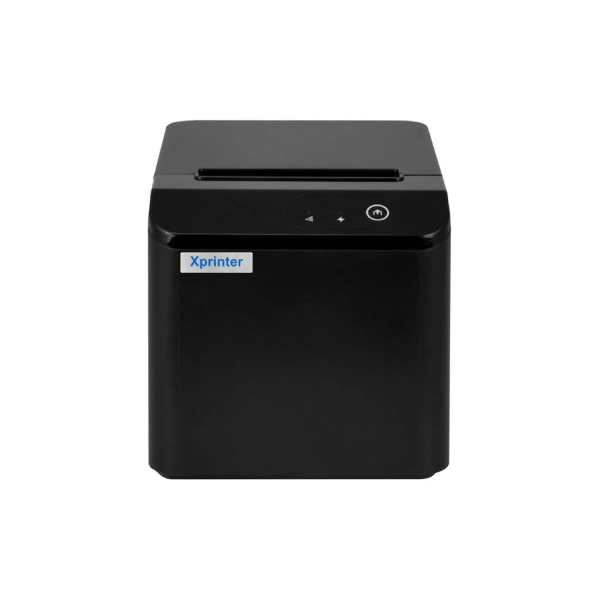
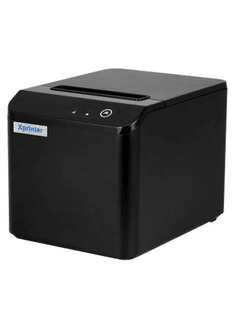
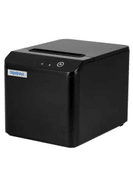
Xprinter XP-T80Q Thermal Receipt Printer ( USB)

Key Features:
- Printing Technology:
- Thermal Line Printing: This technology eliminates the need for ink or toner by using heat to print on thermal paper, making it cost-effective and low maintenance.
- Print Speed:
- High-Speed Printing: Capable of printing at speeds of up to 200 mm/sec, allowing for quick transaction processing and reduced wait times for customers.
- Resolution:
- 203 dpi (8 dots/mm): Provides clear and legible receipts suitable for most retail and business needs.
- Paper Width:
- 80 mm: Supports standard-sized thermal paper rolls, which are widely available and commonly used in the industry.
- Interface:
- USB Connectivity: Provides a straightforward plug-and-play connection to computers and POS systems, ensuring easy installation and compatibility with various devices.
- Cutter:
- Automatic Cutter: The built-in auto-cutter enhances the printer’s efficiency by automatically cutting the paper after each print, which ensures neat and uniform receipts.
- Reliability:
- Durable Print Head: The print head is designed to last for up to 100 km of printed paper.
- Long Cutter Life: The automatic cutter is rated for approximately 1 million cuts, offering long-term reliability for high-volume printing environments.
- Compatibility:
- Works with multiple operating systems, including Windows and Linux, making it versatile for different POS setups.
- Driver Support:
- Comprehensive Driver Availability: Drivers and utilities are provided to ensure compatibility and smooth operation across different platforms.
Benefits:
- Cost-Effective: The thermal printing method reduces the need for consumables like ink and toner, leading to lower operating costs.
- Efficient: Fast printing speed and automatic cutting reduce transaction times, improving overall service efficiency.
- Easy to Use: Simple installation and operation make it user-friendly, even for staff with minimal technical knowledge.
- Compact Design: The printer’s small footprint makes it suitable for use in various settings, including retail counters, kiosks, and reception areas.
- Low Maintenance: The absence of ink or toner and robust construction make this printer easy to maintain and reliable for daily use.
Use Cases:
- Retail Stores: Ideal for printing sales receipts and transaction records.
- Restaurants and Cafes: Useful for printing customer bills and order tickets.
- Hospitals and Clinics: Can be used for printing patient receipts and transaction records.
- Offices: Suitable for printing receipts for various internal transactions and billing processes.
Setup and Operation:
- Installation:
- Connect the printer to the computer or POS system via the USB port.
- Install the provided drivers to ensure proper communication between the printer and the system.
- Loading Paper:
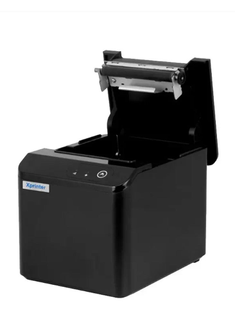
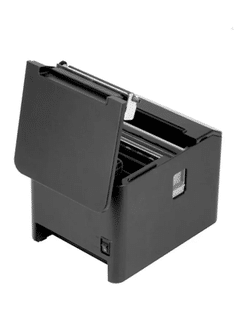
- Open the printer cover and insert the thermal paper roll with the leading edge facing down.
- Close the cover and feed the paper through the printer for readiness.
- Configuration:
- Adjust printer settings through the software interface to match specific business needs, such as setting the print density or enabling/disabling the auto-cutter.
- Maintenance:
- Regularly clean the print head and cutter to maintain optimal performance and extend the printer’s lifespan.
Accessories:
- Thermal Paper Rolls: Ensure the use of quality 80 mm thermal paper for best results.
- USB Cable: Standard USB cable for connectivity (usually included with the printer).
- Power Adapter: Supplies power to the printer (also typically included).

 7%
7% 23%
23%